-
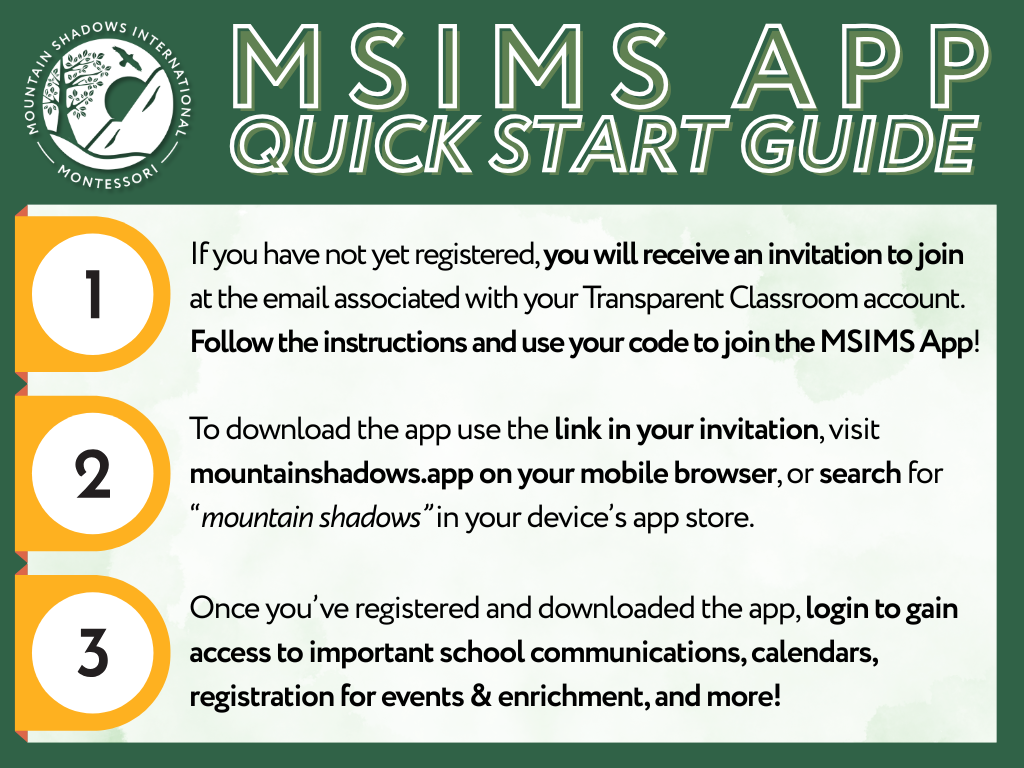
Before your child starts on campus, you will receive an invitation to join the MSIMS app using your Transparent Classroom credentials. If you have trouble finding this invitation, let us know by reaching out to maddie.stephens@mountainshadows.org.
-
The MSIMS app is used for critical, time-sensitive communications regarding school closures or emergencies, group chats and a messenger platform to connect with other MSIMS families or your child’s teacher, and serves as a hub to quickly access key resources like Enrichment & Event Registration, Transparent Classroom, FACTS, and more.
-
When you join using your Transparent Classroom credentials, you will automatically be granted access to your child’s classroom chat for the current term— you can use this group to connect with other families and your child’s guide.
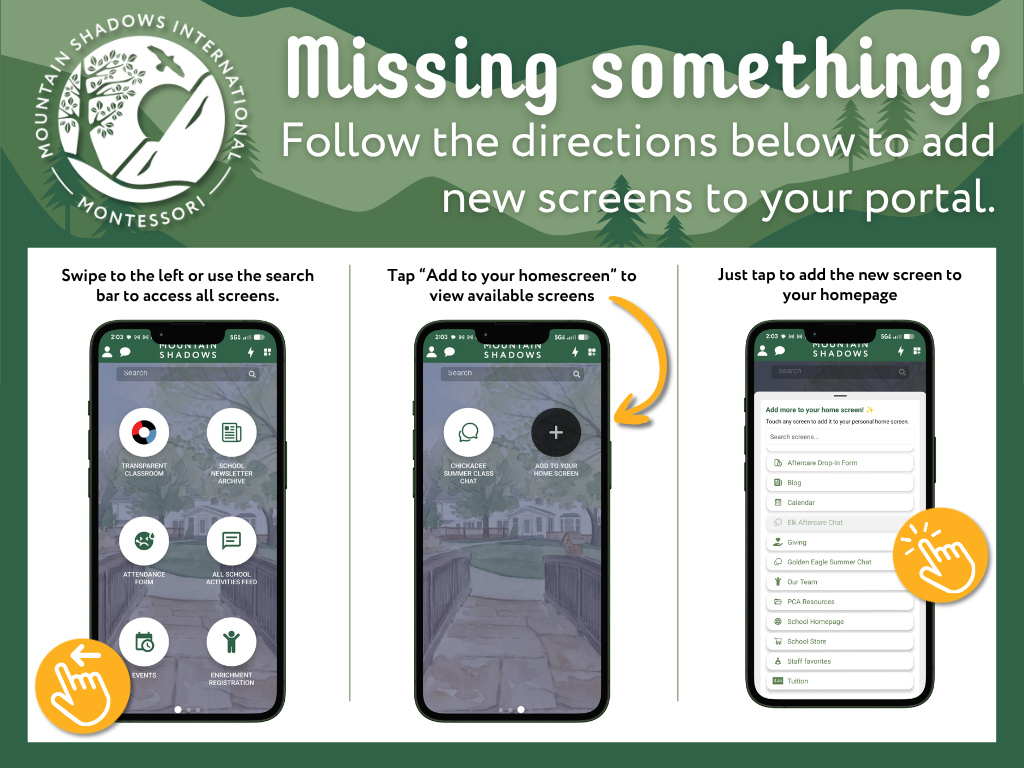
You may need to add this chat to your homescreen! Look below for a step-by-step walkthrough on accessing new content.
-
When we add new features or your child moves up to a new classroom, you may not always be able to see these new screens. New content can be added to your home screen by swiping through until you find the icon labeled ADD TO YOUR HOME SCREEN. Tapping that icon will allow you to add new content to your personal app homescreen.